
What is ATRIS?
It is an information system provided by the government of Canada through its Open Government initiative which allows users to access information, documents, reports and maps relating to Indigenous communities within Canada. It’s goal is to assist governments, industries, and other users to determine or consult their obligations, or carry out research. It contains information on:
- Indigenous communities and and organizations (contact information, tribal council affiliations etc. )
- Treaties and agreements (historic and modern treaties, self-government agreements and others…)
- Claims and Negotiations (specific claims and comprehensive claims filed within Canada, related claims, and self-government negotiations)
- Court Cases and decisions (litigation between Indigenous groups and the crown relating to Section 35 Aboriginal treaty rights and consultation matters, as well as other key court decisions)
- Consultation related information (historical context, community perspectives, reports, studies, correspondence and agreements)
Upcoming Training Sessions
Crown-Indigenous and Northern Affairs Canada (CIRNAC) hold free online webinars which provide both a simple and in-depth view into how ATRIS work and its various function capabilities. Users are taught how information is organized in ATRIS, how to execute searches and how to save them. These webinars are offered in both French and English and take place during the final week of every month. The final training session for 2019 will took place on November 27th.
Training sessions in 2020: STAY TUNED
Click the following link and follow the instructions listed at the bottom of the page for training: https://www.aadnc-aandc.gc.ca/eng/1100100014686/1100100014687#sec1
Filtered Criteria Search Tutorial
Step 1: click the following link and “Accept”: http://sidait-atris.aadnc-aandc.gc.ca/atris_online/home-accueil.aspx
Step 2: In the “Search By” drop down box select “Filtered Criteria Search”
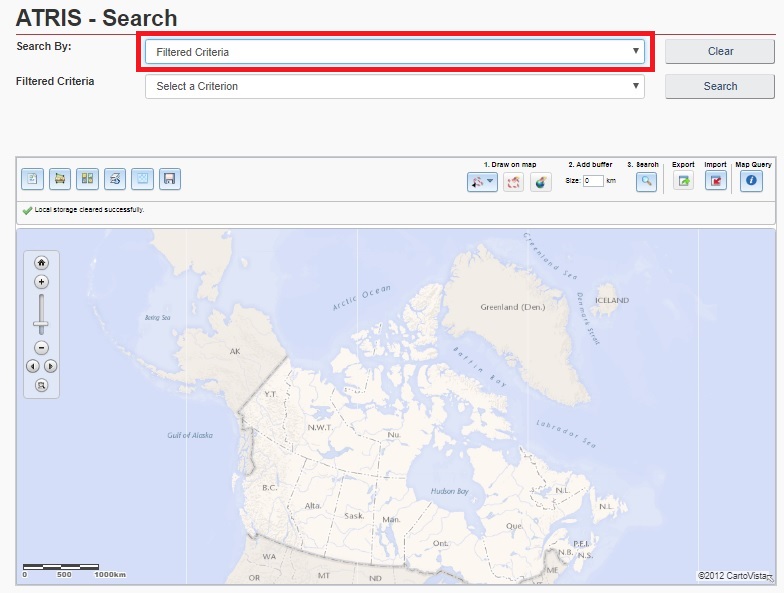
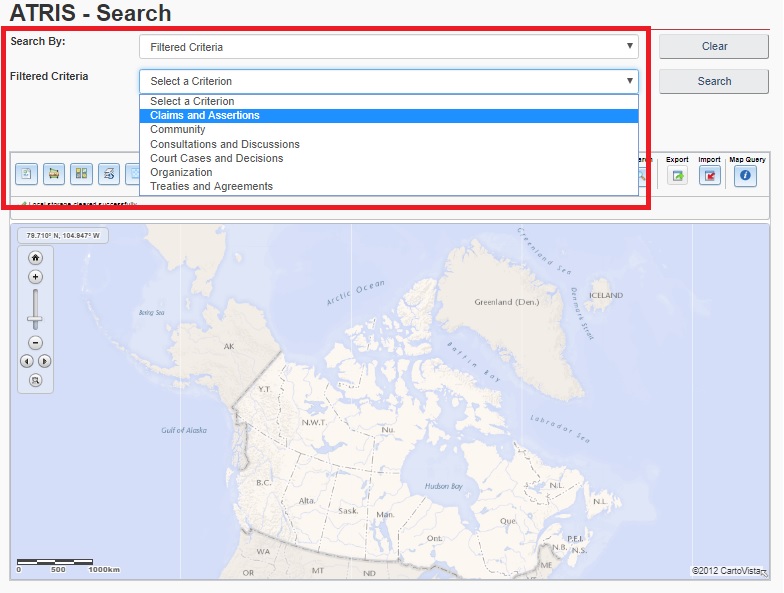
Step 3: Select whichever criterion is applicable to your needs in the “Filtered Criteria” drop down box. For this tutorial we will be searching for claims and assertions.
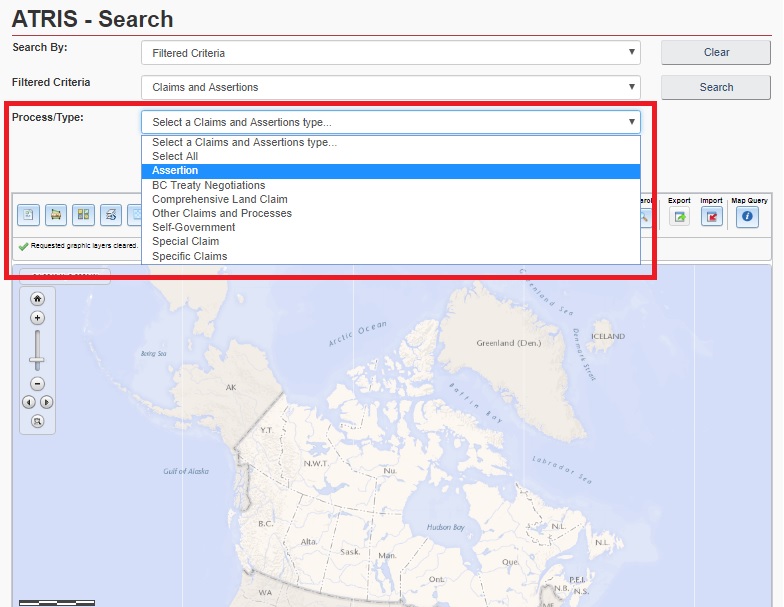
Step 4: Select the appropriate criterion from the “Process/Type” drop down box. We will be searching for an Assertion.
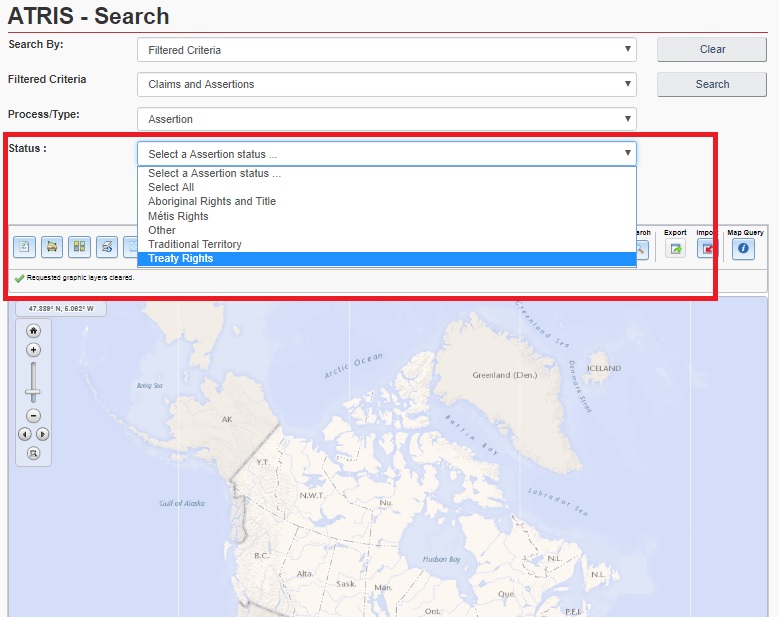
Step 5: Select an “Assertion Status” from the “Status” Drop down menu. For this tutorial we want to look for “Treaty Rights”
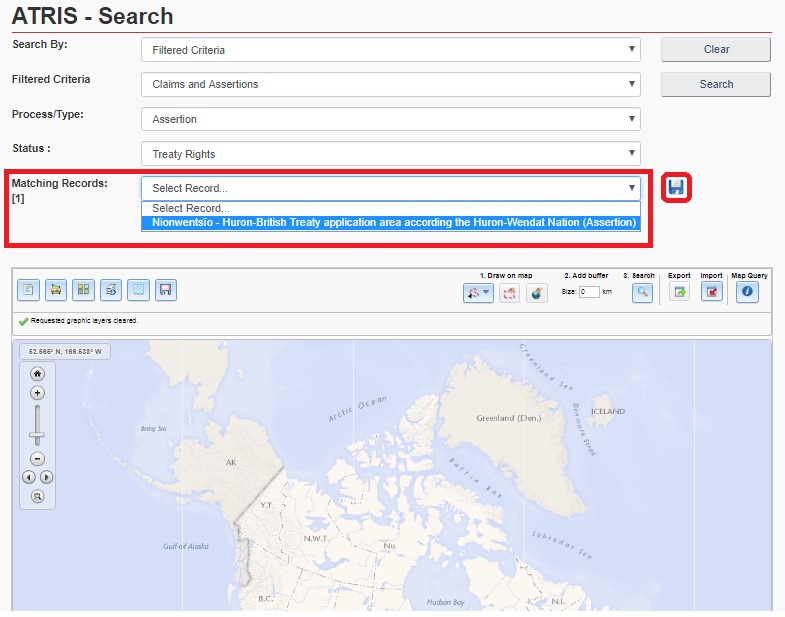
Step 6: We now see that there is only one case that applies to the search we have created so far, the “Nionwentsio – Huron-British Treaty application area according the Huron-Wendat Nation”. At this point we have also been presented with the opportunity to save our search for the future, as indicated by the floppy disc which has appeared beside the “Matching Records” drop down box. If clicked, ATRIS will automatically export our search to a word document, detailing our exact search terms at every step. We will now proceed to narrow our search further to produce the most specific results by clicking on the “Nionwentsio” record.
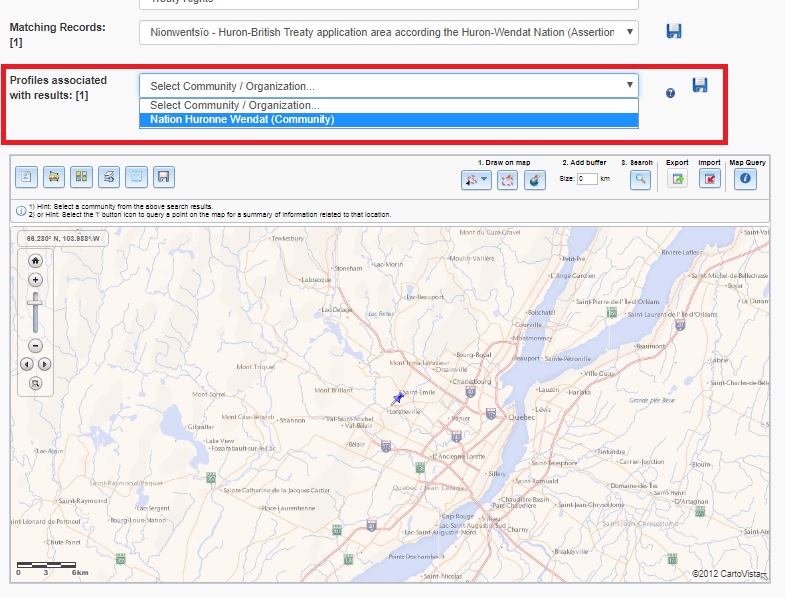
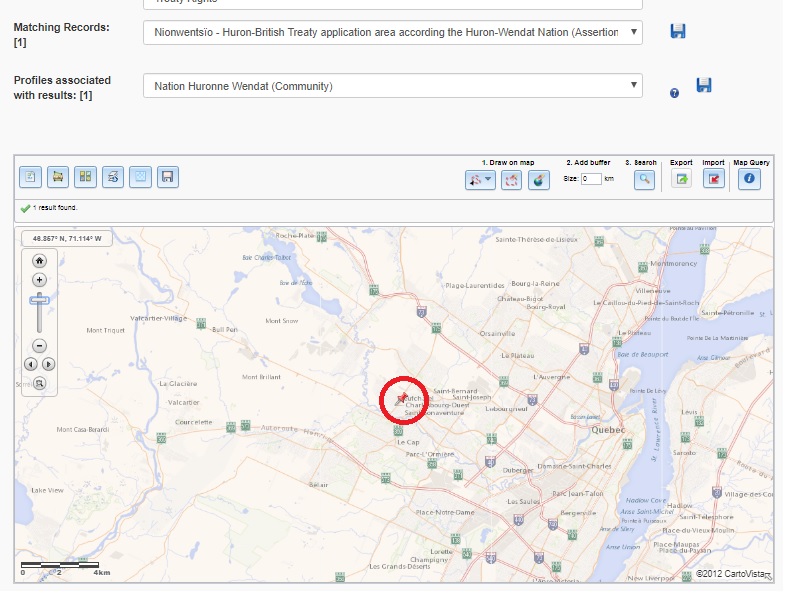
Step 7: Our search has now produced results for any profiles associated with the Nionwentsio community. Once again, we have the option to save our search and have it exported to a Microsoft Word document like the previous step. We also see a change in the map feature which has pinpointed the exact location of the Indigenous communities associated with the records. At this point we have only hovered the mouse over the “Nation Huronne Wendat (Community)” to highlight it, and can see that the pin on the map is blue. Once we have selected the community in the drop down menu, the pin will turn red, as displayed in the image below. This is especially useful when looking for specific communities in areas with high Indigenous populations such as British Columbia, allowing you to easily distinguish the community you are researching amongst its neighbouring ones.
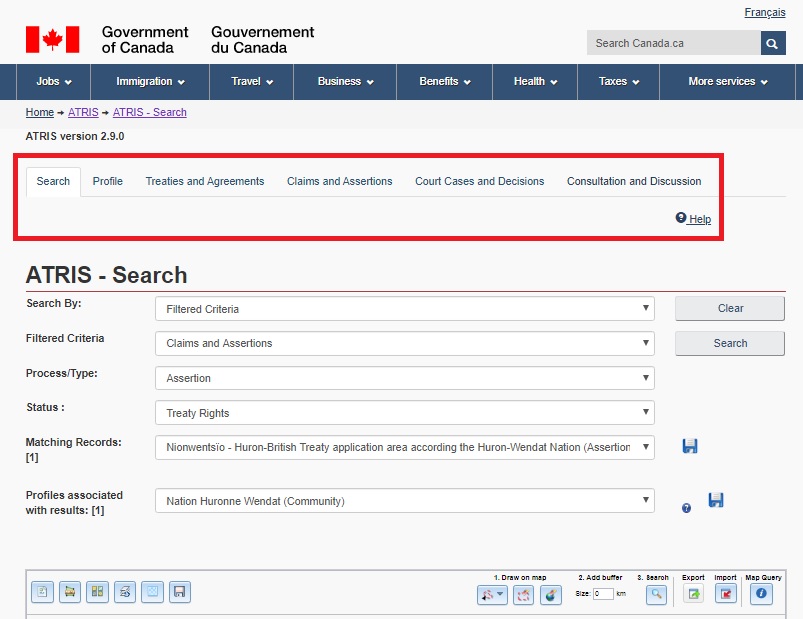
Step 8: Once we have filled out all our search criteria the results will be displayed in tabs at the top of the screen as shown below. From here, you are able to click on the tabs and explore the information under each heading relating to the “Nionwentsio – Huron-British Treaty application area according the Huron-Wendat Nation”.
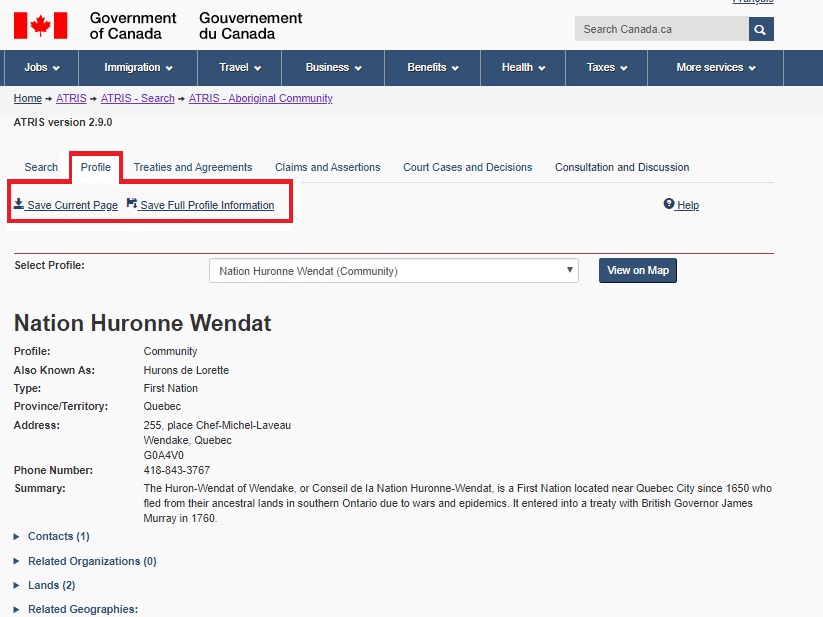
Step 9: Under the “Profile” tab you will find all the necessary information for the Nation Huronne Wendat Community, including their address, contact information, a brief summary of the community, who their Chief is, if there are any related organizations and the lands they hold. If there are any other related communities associated with our search they would appear in the drop-down menu located at the top of the “Profile” page. We are now also presented with an option to “Save Current Page” or “Save Full Profile Information” as outlined in red below. If clicking “Save Current Page”, ATRIS will automatically synthesize the information displayed on the “Profile” page and export it to a Word Document. If clicking “Save Full Profile Information”, ATRIS will synthesize all information from each tab (Profile, Treaties and Agreements, Claims and Assertions, Courts Cases and Decisions and Consultation and Discussion) and export it to a word document which can be downloaded and saved in complete to your device.
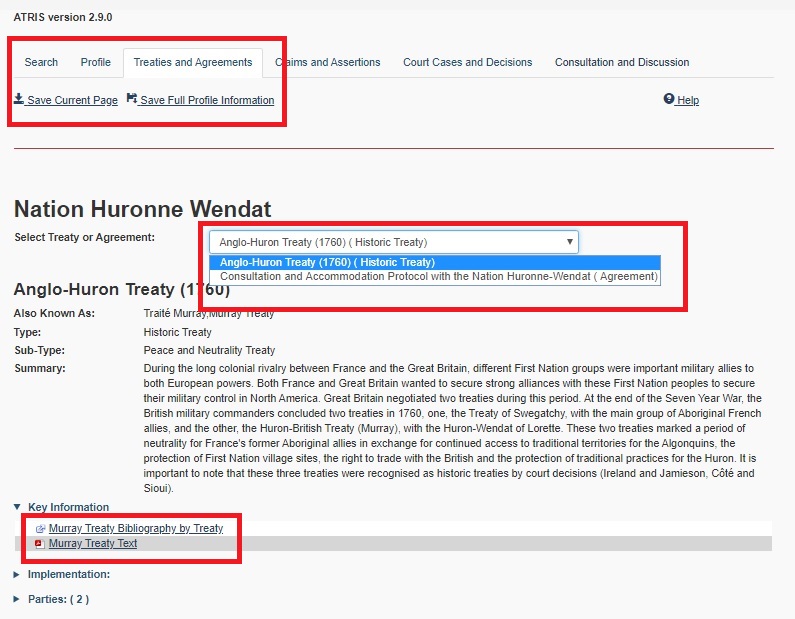
Step 10: Under the “Treaties and Agreements” tab you will find all treaties and agreements linked to the Indigenous community you are searching for in a drop down list (as depicted below), along with all information pertaining to those agreements or treaties. Key information is provided in pdf format, but it is important to note that this is not available for every search. Once again, the option to save just this page or all pages is available to the searcher.
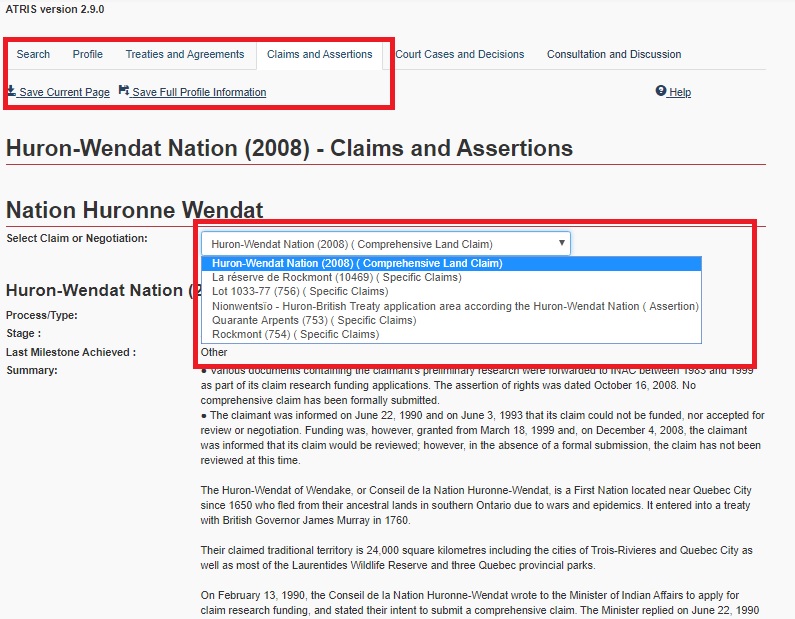
Step 11: Under the “Claims and Assertions” tab you will find all claims relating to the Nation Huronne Wendat in a drop down box. Each one will contain important information related to the claim or assertion, including a summary, key information, and any related claims.
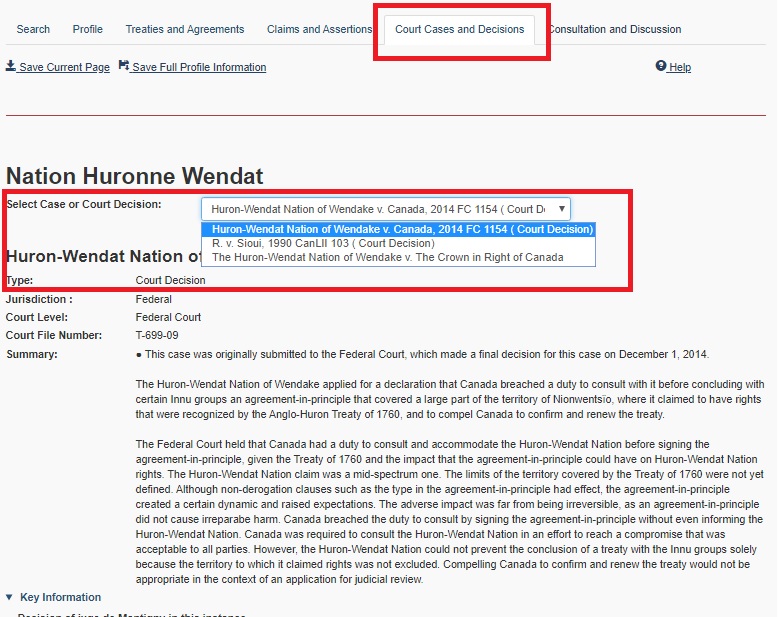
Step 12: Under the “Court Cases and Decisions” tab you will find all the cases and decisions associated with the Nation Huronne Wendat community in a drop down menu. Each case will provide you with information regarding the type (court case or decision), the jurisdiction, court level, court file number, a summary of the case or decision and key information (such as the judges ruling) as well as any related communities, organizations or geographies to the Indigenous community.
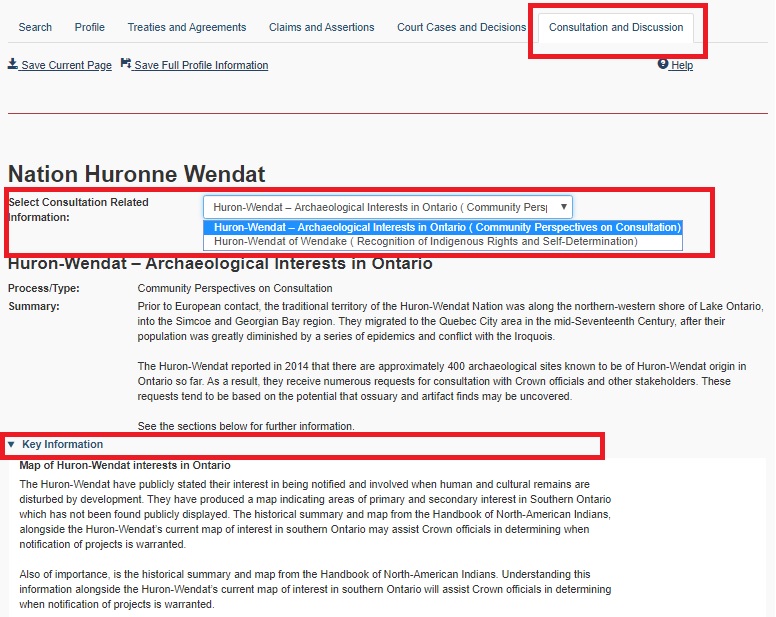
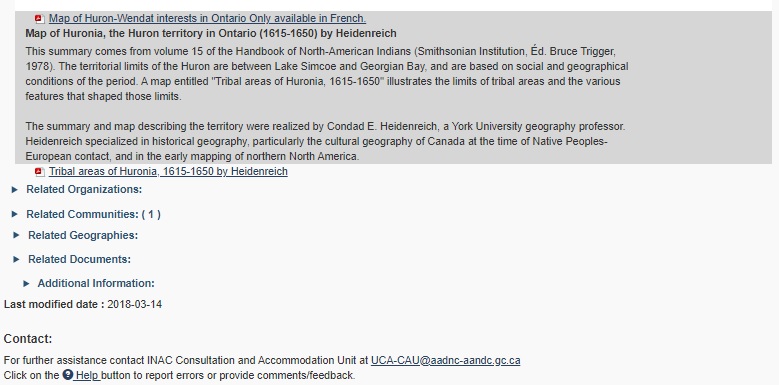
Step 13: Under the “Consultation and Discussion” tab you will find any consultations or discussions with the Nation Huronne Wendat community in a drop down menu along with a summary, key information with accompanying documents if applicable and any important related information.
Disclaimer
It is important to note that this tutorial is specific to a search pertaining to “Claims and Assertions” and will produce different results depending on the criteria you choose. However, each search done with the filtered criteria will populate the same tabs as listed above and will allow you the same saving functions. We recommend performing a variety of practice searches using different criteria to familiarize yourself with the filtered criteria search function.
To fully harness ATRIS’ capabilities you should attend a webinar and have a professional guide you through more complex searches, as it was not created with the everyday user in mind and requires you to be familiar with specific terminologies.
 Indigenous Law